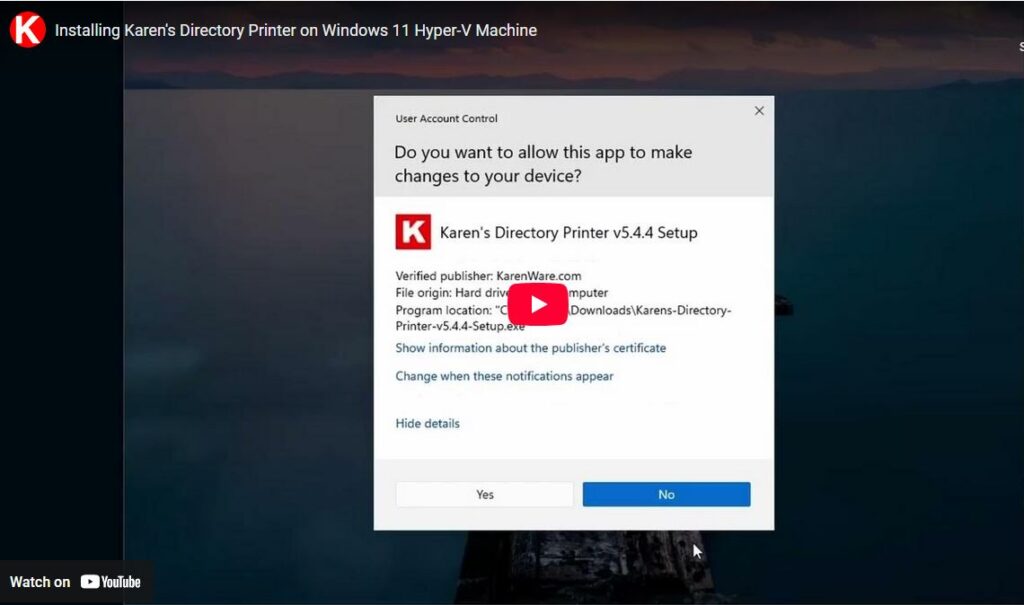
A donor is having problems running Directory Printer on Windows 11. He says it starts up and then just stops.
I was hoping I would experience the same failure today on a new installation of Windows 11 Home into a Hyper-V virtual machine on my Dell PC that Microsoft refuses to upgrade to Windows 11 because of science or excuses or money or whatever.
Anyway.
I downloaded Windows 11 Home image from https://www.microsoft.com/en-us/software-download/windows11
I installed it in a Hyper-V virtual machine along the lines of https://woshub.com/install-windows-11-hyperv-vm/
I updated Windows 11 all day. Well, actually, I went to work while it was updating and the computer went to sleep while the virtual machine was running — rude. So, I woke the machine up when I got back. It was running REALLY slowly, so I moved the virtual disk to a solid state drive and then it finished in like 10 seconds.
I downloaded Directory Printer from our website at https://www.karenware.com/powertools/karens-directory-printer
I installed it.
and
It worked.
I am having the same issue with Win 11. It used to work fine. But i went to use it and it was no longer instaalled. Downloaded and reinstalled – it starts to load up = but then disappears.
Thanks, Charles. On R’s machine, I found error events were being recorded in the Event Viewer, Applications tab, about a crash in dirprn.exe. Do you find error events?
I am having the same problem on Windows 11. I just downloaded and installed Karens Directory Printer-v5.4.4. When I start the program, it starts to load up and then just disappears. I looked in the Event Viewer, Applications tab, but then I don’t know what to look for. I am not that familiar with using the Event Viewer.
For some reason, in some situations, the installer can’t register components. I still haven’t gotten to the root of the problem.
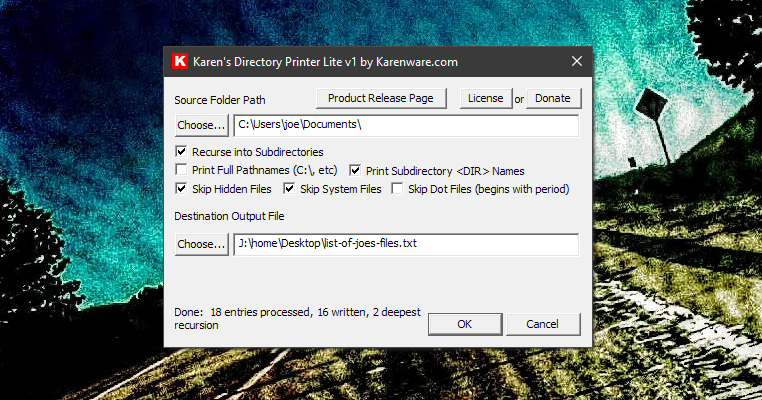
It’s kind of a punt play, but if you need a simple list of files, Directory Printer lite can do it:
https://www.karenware.com/powertools/karens-directory-printer-lite
In the meantime, I’ll try again to run into the same problem.
This is from the event log, hope this helps
DirPrn.exe
5.4.0.4
5ea0fec4
COMCTL32.OCX
6.0.80.22
34c80716
c000041d
00030b03
0x385c
0x1dc77834867e046
C:\Program Files (x86)\Karen’s Power Tools\Directory Printer\DirPrn.exe
C:\WINDOWS\System32\COMCTL32.OCX
110e00d2-1c8e-4260-81b5-04191fa6d8f5
It’s saying it crashed trying to load stuff from the C:\WINDOWS\System32\COMCTL32.OCX control. I think on a 64-bit machine it would be in C:\WINDOWS\SysWOW64\COMCTL32.OCX. When the control had been wrongly registered on Windows 10 in the distant past it could be redone by running CMD as Administrator, then cd \windows\SysWOW64, and regsvr32.exe COMCTL32.OCX. Such a simple fix wasn’t figured out for the last guy though. I think his .ocx file was in the wrong folder, but no combination of un-registering and moving and re-registering it could fix it. It’s crazy that the problem only happens to some people.
Oh, did you upgrade to Windows 11?
I have same problem. Used Karens Print Dir for years on many versions of windows.
Now on Win11 home. I uninstalled and reinstalled. Program seems to launch briefly then disappears
You’ll probably find the same EventVwr.exe entries Sonja did. The DLLs aren’t registered correctly. No fix is available, yet.
You can create simple lists with Directory Printer Lite which will run on anything:
https://www.karenware.com/powertools/karens-directory-printer-lite
Obviously, I need to expand “Lite” to be the new Directory Printer. I think trying to use Karen’s 1990s Visual Basic 6.0 code going forward is going to get more and more difficult to do.
Which features of Directory Printer do you use? Do you print literally to a printer? Which columns do you select? Just file and folder names? File sizes? Dates?
I messed with getting meta data out of files for a new version, like Author, Artist, Run Length, Movie Title, Album Title, those sorts of things. Would that be helpful?
B Awls — Did you upgrade that computer from Windows 10 to 11 or was this a fresh install of Windows 11 Home? If you upgraded, you had Windows 10 Home before? Thanks
I’m just now getting back to this. Yes, I am running windows 11. I downloaded and reinstalled Karen’s print directory.
information from the install:
Checking for Visual Basic Runtime v6.0
Visual Basic Runtime v6.0 installed
RICHED32.DLL Installed
Registering: C:\WINDOWS\system32\MSCOMCTL.OCX
MSCOMCTL.OCX Installed
Registering: C:\WINDOWS\system32\COMDLG32.OCX
COMDLG32.OCX Installed
Registering: C:\WINDOWS\system32\COMCTL32.OCX
COMCTL32.OCX Installed
Registering: C:\WINDOWS\system32\RICHtx32.OCX
RICHtx32.OCX Installed
Output folder: C:\Program Files (x86)\Karen’s Power Tools\Directory Printer
Extract: DirPrn.exe… 100%
Extract: DirPrn.chm… 100%
Extract: Karen’s Directory Printer v5.4.4 ReadMe.txt… 100%
Extract: PTHash.dll… 100%
and then it created folders and shortcut.
I ran CMD as Administrator and cd\windows\sysWOW64 and regsvr32.exe COMCTL32.OCX. No problems.
Same thing. The program loads and then quits.
From the event log:
AppPath C:\Program Files (x86)\Karen’s Power Tools\Directory Printer\DirPrn.exe
ModulePath C:\WINDOWS\System32\COMCTL32.OCX
IntegratorReportId 84fdbf01-32ff-4638-ae07-82f144f04549
Thanks for your time and effort. The program sounds it’s exactly what I’m looking for.
Sorry, I have no idea. “C:\WINDOWS\System32\COMCTL32.OCX” is not where that file goes. It should be located at “C:\WINDOWS\SysWOW64\COMCTL32.OCX”
Thank you for checking into this. But as the installation shows, that’s where everything is installed — in the directory
C:\WINDOWS\SYSTEM32
Maybe I can try install this on a friend’s computer, and then get the directory lists for all my external hard drives 😀
The installer always says it’s installing into C:\Windows\System32, but that’s only because there wasn’t a 64-bit operating system back in the day. The files should end up in C:\Windows\SysWOW64, the directory where 32-bit program go on a 64-bit system. If you look, you’ll find a weird mix of the installer files in both the directories. Some are obviously not registered correctly. I’ve spent hours on a guy’s machine trying to figure out how to fix it, unregistering, moving files, reregistering… and was not able to fix it.
I mentioned the newer version before, https://www.karenware.com/powertools/karens-directory-printer-lite — it will surely run. It saves the list to a file. You can import it into a word processor if you like.
Thanks once again. Most of my external hard drives have thousands of jpeg files (and multiple copies). I just wanted directory and sub-directory names. Some of my older backups are buried in other directories, sub-directories, etc. Just a mess that I’m trying to make some sense of, find everything, and then stay on top of it with better organization.
OH! I just found something that works for me! command prompt tree|clip
Yes, that’s pretty neat.
Sonja, did you download the installer from Github for that application? A couple of virus scanners are showing that application to be malicious. The source code isn’t malicious, at least what’s shows on Github, but the executable installer is shown as malicious. Any problems?
Trojan:Win32/Wacatac.C!ml
This program is dangerous and executes commands from an attacker.
file: X:\Downloads\TreeClipSetup.exe
Here’s the report on VirusTotal. I still don’t know if these are false positives.
https://www.virustotal.com/gui/file/e5197b50dd25fa5ac422ad6aa208d38095619ec92943682bb515ded6e2c32f54
Same as above. Downloaded, installed. It starts to load up, but… suddenly disappears/closes. Returned to 5.4.3
So, 5.4.3 doesn’t have the problem?
Yes, 5.4.3 does not have that (or this) problem.
I can confirm I was having the issue of the software closing after a few seconds on 5.4.4 on an Azure Server 2019 that had worked before migrating to Azure. Tried suggested fixes from CoPilot to no avail, installed 5.4.3 and it works fine.
Thanks for that information. So, if you install 5.4.4 now again it still fails?